Introduction
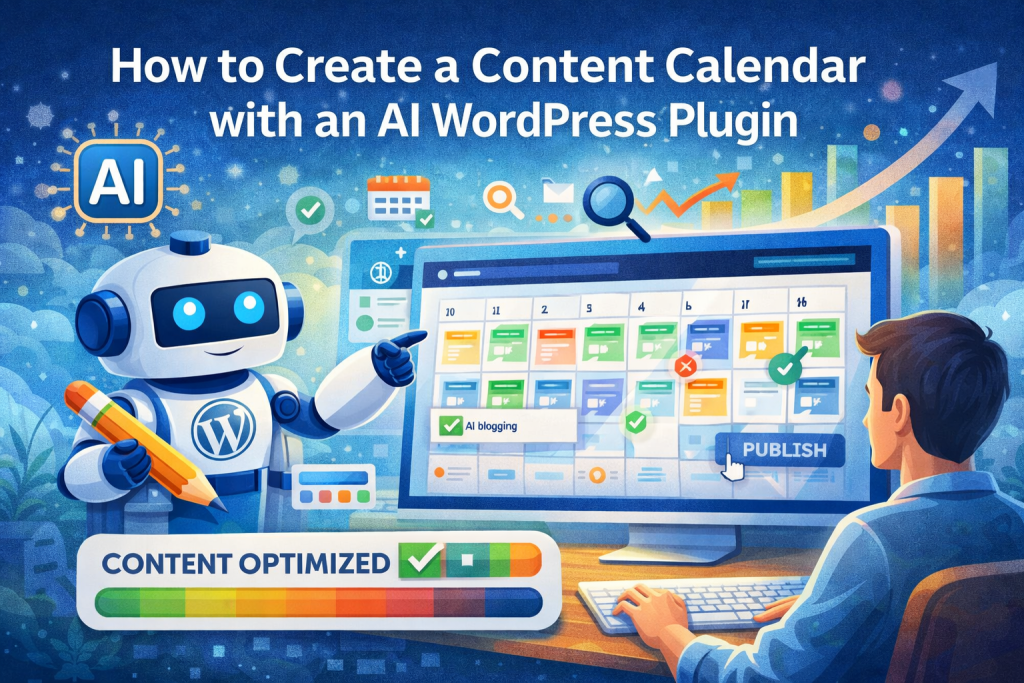
If you’ve ever tried to grow a blog, you already know that consistency is everything. However, staying consistent is one of the hardest parts of content creation. You might have great ideas one week and then feel completely stuck the next. This is exactly why learning how to create a content calendar with an AI WordPress plugin is one of the most powerful steps you can take in 2026.
A content calendar isn’t just about planning posts. It’s about building a system that removes guesswork, keeps your publishing schedule consistent, and aligns every piece of content with SEO goals. When you combine that with AI, everything changes. You’re no longer manually brainstorming, writing, and organizing content. Instead, you’re operating a streamlined system that generates, schedules, and optimizes content at scale.
In this guide, you’ll learn exactly how to build a high-performing content calendar using AI inside WordPress, how to avoid common mistakes, and how to turn your blog into a traffic-generating machine.
Why Content Calendars Are Essential for SEO Growth
The Problem with Random Posting
Many WordPress bloggers rely on inspiration to decide what to post. While this might work short term, it creates inconsistency. Search engines like Google favor websites that publish regularly and stay focused on specific topics.
Without a content calendar, you end up with scattered posts that don’t build authority. You might write about one topic today and something completely unrelated tomorrow. As a result, your site lacks direction, and your rankings suffer.
Building Topical Authority Over Time
A well-structured content calendar ensures that your posts are connected. Instead of random topics, you create clusters of related content. This signals to Google that your site is an authority in your niche.
For example, if your niche is AI blogging, your calendar might include topics like SEO optimization, keyword research, content workflows, and automation strategies. Over time, these topics reinforce each other, improving your chances of ranking higher.
What an AI-Powered Content Calendar Actually Does
More Than Just Scheduling
When most people think of a content calendar, they imagine a simple schedule. However, an AI-powered content calendar goes far beyond that. It helps you generate ideas, structure content, optimize for SEO, and even create drafts automatically.
This transforms your workflow from manual effort into a scalable system.
Automating the Entire Process
With an AI WordPress plugin, your content calendar can:
- Generate keyword-based blog ideas
- Create structured outlines
- Produce full-length blog drafts
- Optimize content for SEO
- Schedule posts automatically
Instead of spending hours planning, you can set up weeks—or even months—of content in a fraction of the time.
Step-by-Step: How to Create a Content Calendar with an AI WordPress Plugin
Step 1: Define Your Content Goals
Before you start generating content, you need clarity. What are you trying to achieve? Are you focused on traffic, conversions, or brand awareness?
Your goals will determine the type of content you create. For example, if your goal is traffic, you’ll prioritize SEO-driven blog posts targeting high-intent keywords.
Step 2: Build a Keyword Foundation
The next step is keyword research. This is where your entire content calendar begins. Instead of guessing topics, you use data to guide your strategy.
Focus on keywords that:
- Have clear search intent
- Are relevant to your niche
- Offer realistic ranking opportunities
When you feed these keywords into an AI plugin, it can generate content ideas automatically, saving you time and effort.
Step 3: Organize Topics into Clusters
One of the most effective SEO strategies in 2026 is topic clustering. Instead of creating isolated posts, you group related content together.
For example:
- Main topic: AI blogging
- Supporting topics: SEO optimization, content scaling, keyword research
This structure improves internal linking and helps search engines understand your site better.
Step 4: Generate Content with AI
This is where everything becomes easier. Instead of manually writing each post, you can use an AI WordPress plugin to generate high-quality drafts.
The key is not to rely on AI blindly but to guide it with clear prompts and structure. This ensures the content is relevant, readable, and optimized.
Step 5: Schedule Your Posts
Once your content is ready, you can schedule it directly in WordPress. A consistent posting schedule is critical for SEO growth.
For most bloggers, publishing 3–5 times per week is a strong starting point. However, the exact frequency depends on your niche and goals.
Step 6: Track and Adjust Your Strategy
A content calendar isn’t static. You need to monitor performance and adjust your plan based on results.
Look at which posts are ranking, which keywords are driving traffic, and where you can improve. Over time, this allows you to refine your strategy and maximize results.
Manual Content Calendar vs AI-Powered Content Calendar
The Traditional Approach
Creating a content calendar manually involves multiple tools and a lot of time. You research keywords, brainstorm topics, write outlines, and schedule posts individually.
While this method can work, it’s slow and difficult to scale.
The AI Advantage
An AI-powered approach simplifies everything. You can generate ideas, create content, and schedule posts in one streamlined process.
This not only saves time but also ensures consistency. Instead of struggling to come up with ideas, you have a system that continuously produces optimized content.
How to Use AI to Scale Your Content Calendar
Turning One Idea into Multiple Posts
One of the biggest advantages of AI is its ability to expand ideas. A single keyword can be turned into multiple blog posts, each targeting a different angle.
For example, a keyword like “AI blogging” can lead to:
- Beginner guides
- Advanced strategies
- Tool comparisons
- Case studies
This allows you to scale your content without constantly searching for new ideas.
Maintaining Quality While Scaling
A common concern with AI content is quality. However, when used correctly, AI can actually improve consistency and structure.
The key is to review and refine the output. Think of AI as a starting point rather than a replacement for human input.
Common Mistakes When Creating a Content Calendar
Overcomplicating the Process
Many bloggers try to create overly complex calendars. While planning is important, simplicity is key. A clear, manageable system is more effective than an overly detailed one.
Ignoring SEO
A content calendar without SEO is just a schedule. Every post should be based on keyword research and optimized for search engines.
Inconsistent Publishing
Even the best content calendar won’t work if you don’t stick to it. Consistency is what drives long-term growth.
Best Practices for a High-Performing Content Calendar
Focus on Long-Term Growth
SEO takes time. Instead of expecting immediate results, focus on building a strong foundation. Over time, your efforts will compound.
Balance Quantity and Quality
Publishing more content increases your chances of ranking, but quality still matters. The goal is to find a balance between the two.
Continuously Optimize
Your content calendar should evolve. As you gather data, refine your strategy and improve your content.
Why AI WordPress Plugins Are the Future of Content Planning
The Shift Toward Automation
In 2026, automation is no longer optional. The volume of content required to compete is simply too high to manage manually.
AI tools allow you to keep up with demand while maintaining quality.
Staying Ahead of the Competition
The bloggers who adopt AI early gain a significant advantage. They can produce more content, optimize faster, and scale their efforts more effectively.
Conclusion
Learning how to create a content calendar with an AI WordPress plugin is one of the smartest moves you can make if you want to grow your blog in 2026. Instead of relying on guesswork and inconsistent posting, you build a system that drives consistent, SEO-focused content creation.
By combining keyword research, structured planning, AI-powered content generation, and consistent scheduling, you create a workflow that is both efficient and scalable. Over time, this leads to higher rankings, more traffic, and stronger authority in your niche.
The key takeaway is simple: success in blogging isn’t about working harder—it’s about working smarter with the right systems.
Start Building Your AI Content Calendar Today
If you want to simplify your workflow and start scaling your content faster, it’s time to use a tool built for modern WordPress bloggers.
👉 https://plixoratech.com/plixora-ai-blog-generator/
With this plugin, you can generate blog ideas, create SEO-optimized content, and manage your entire content calendar directly inside WordPress.
Stop guessing what to post next—and start building a system that drives real results.